USD Spatial
spatial analysis for OpenUSD
an open source Python library and CLI for assessing spatial properties and relationships of prims in an OpenUSD stage
On a simplified version of Disney’s Moana Island Scene, USD Spatial halved peak render memory and cut render time by 40%


−18% and 7.2 GiB −19%.
−40% and 4.4 GiB −50%.USD Spatial is an open source Python library and command-line tool for OpenUSD. It measures where prims sit in relation to a camera and to each other: whether they’re in view, how far away they are, how big they are in the world and on screen, and what they intersect. You can use those measurements to cull or deactivate prims, assign levels of detail or crop a render.
I tested it on Walt Disney Animation Studios’ Moana Island Scene, which holds around 15.5 billion points of geometry once its instancing is expanded. The renders above use a simplified version of it: 8 of the island’s 20 top-level components, with plain materials coloured by type.
Render B: whole components
The island is split into 20 top-level components, such as the palms, the mountains, the coastline and the ocean. USD Spatial checks the bounds of each one against the view of the scene’s palms camera, and flags the ones that sit entirely outside it.
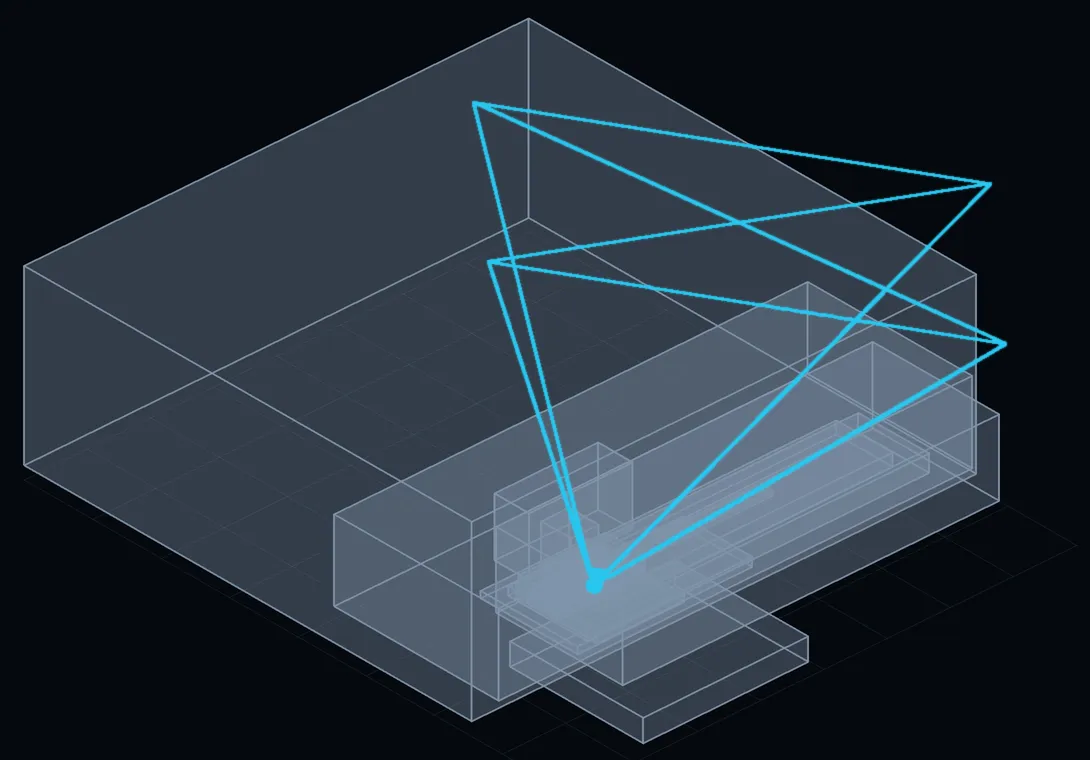
cyan and the island’s components, drawn as boxes. The ocean, coastline and distant mountains are too big to fit here; none of them is culled.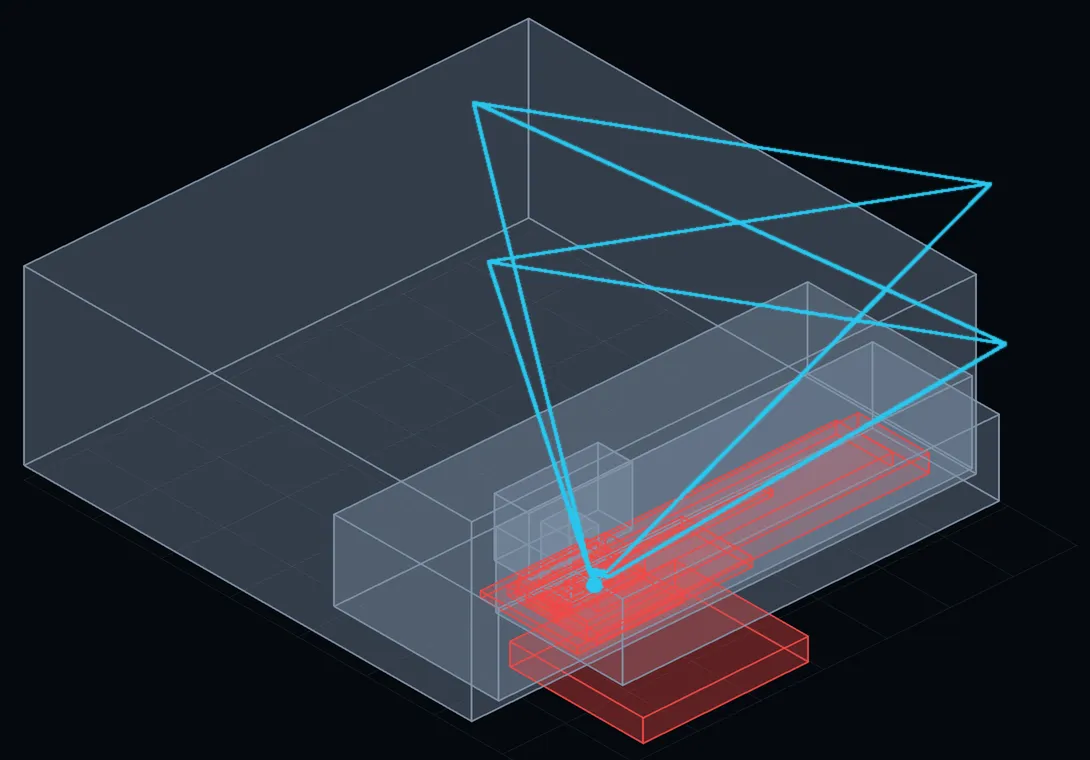
red.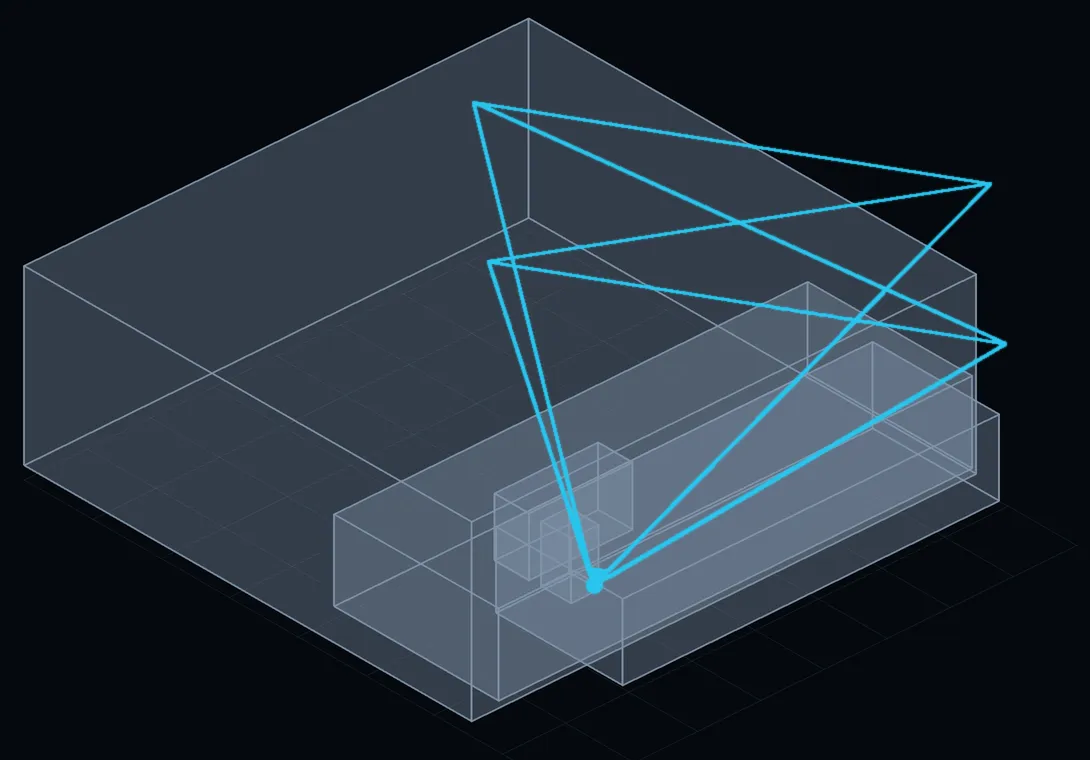
In the simplified scene, this removes 6 of the 8 components and leaves the palms and one mountain. That’s Render B.
Render C: going deep
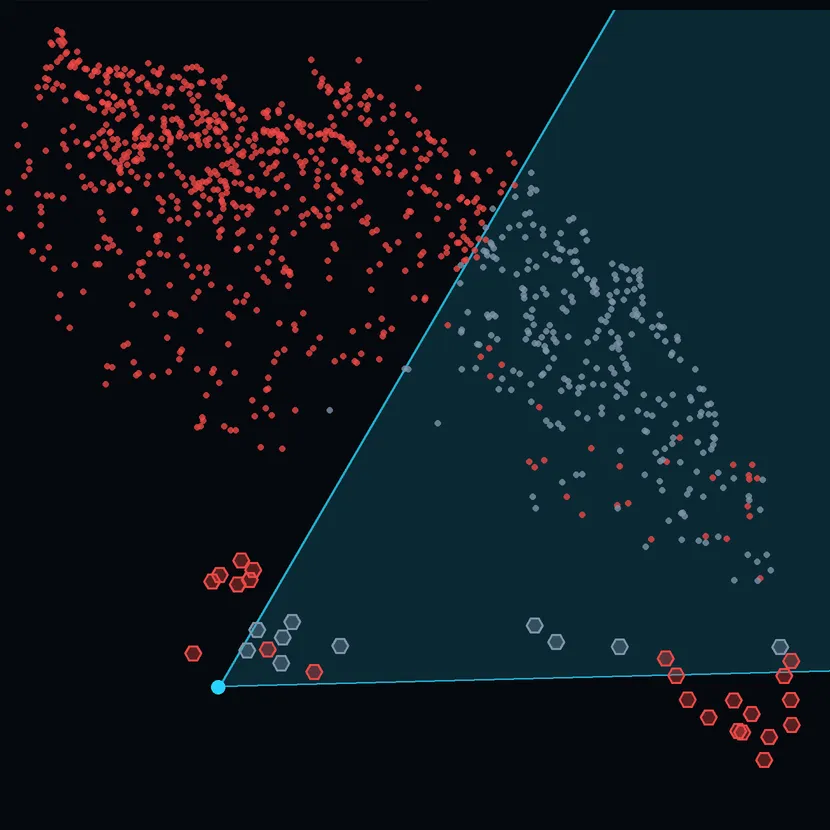
Component culling is all or nothing. If any part of a component is in view, the whole component stays, including everything inside it that the camera can’t see. Per-instance culling tests each palm tree and each scattered instance (the plants instanced across the ground) on its own. Of what Render B kept, 23 of 33 palm trees and 773 of 1,044 scattered instances are out of view. Removing those too gives Render C.
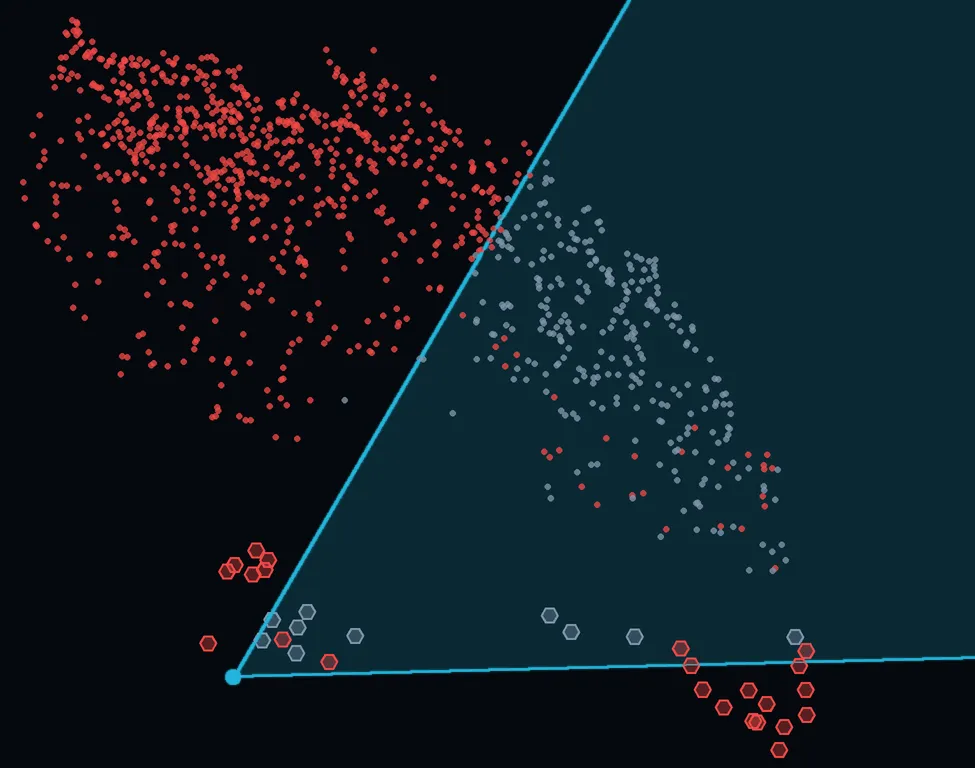
cyan. Hexagons are palm trees and dots are scattered instances: grey are kept and red are culled. The red ones inside the view are above or below it.Results
| Render | Render time | Peak memory | Removed |
|---|---|---|---|
| A. Baseline | 75.3 s | 8.9 GiB | Nothing |
| B. Component culling | −18% |
−19% |
6 of 8 components |
| C. Per-instance culling | −40% |
−50% |
As B, plus 23 of 33 palm trees and 773 of 1,044 scattered instances |
| Render | Render time | Peak memory | Removed |
|---|---|---|---|
| A. Baseline | 75.3 s | 8.9 GiB | Nothing |
| B. Component culling | 62.1 s −13.2 s |
7.2 GiB −1.7 GiB |
6 of 8 components |
| C. Per-instance culling | 45.5 s −29.8 s |
4.4 GiB −4.5 GiB |
As B, plus 23 of 33 palm trees and 773 of 1,044 scattered instances |
Render setup: PBRT-v4 CPU path tracer, 960×402, 16 samples per pixel. Simplified scene.
Size
USD Spatial can also group prims by size. Here each shape is coloured by the size band it falls into, using thresholds I chose arbitrarily: large, medium and small.
Screen size is how big something appears in the render, in pixels or as a share of the frame. World size is its actual size in scene units, such as centimetres. The two often disagree: a small object near the camera can fill the frame, while a large one far away barely shows.
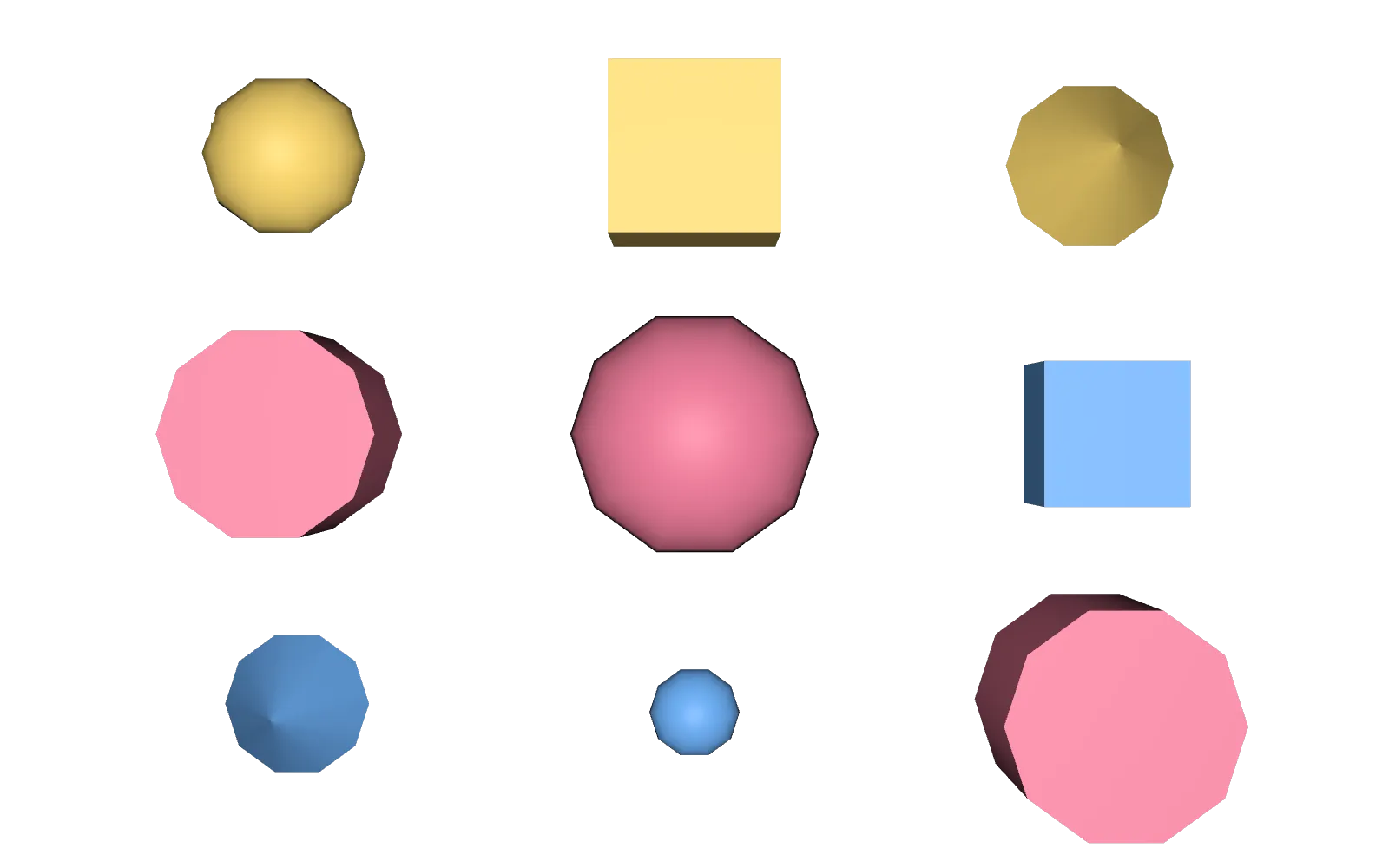
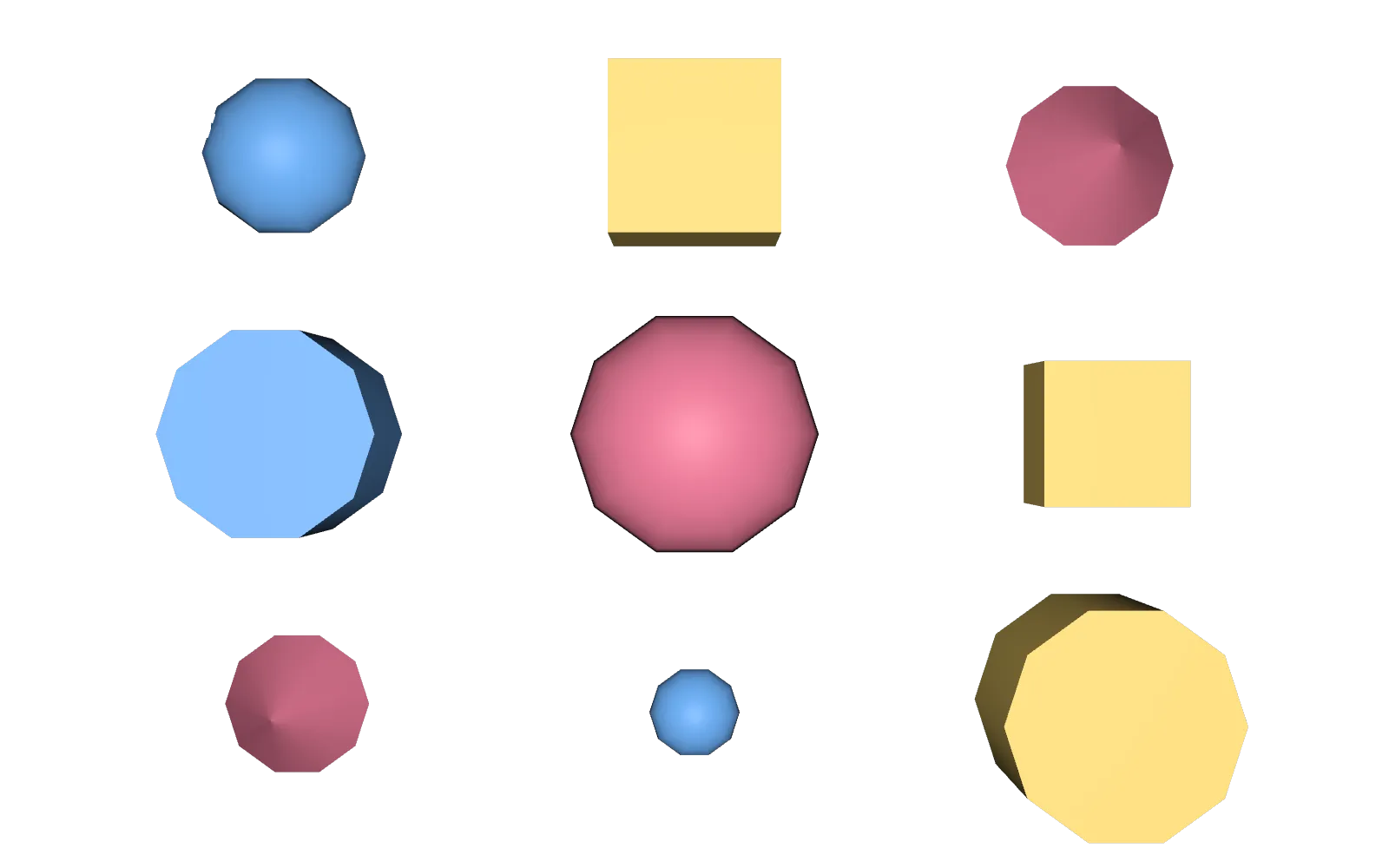
Simple shapes keep the example clear, but the analysis works on any prim with extents and can add results up across many prims, as it did on the Moana Island Scene.
Cropping to what’s on screen
USD Spatial can work out the area of the frame that a set of objects covers. You can use that to shrink a render’s data window, so fewer empty pixels get rendered.
Motion
It can analyse a frame range, to find what is never on camera or is only on camera for a few frames. You choose which frames it samples, trading precision for speed.
It also accounts for motion blur. An object leaving the frame quickly can still leave a blur trail, so you wouldn’t want to cull it. By default it uses the camera’s shutter, whether motion blur is disabled, and its subsamples. You can override parts of this, for example forcing a single sample or padding the camera’s view (padding applies after overscan).
Why it matters
I want USD Spatial to help people automate optimisation. Manual optimisations often require updating whenever the scene changes whereas these decisions are measured from the scene as it is. On the simplified Moana Island Scene, the camera’s view alone was enough to halve peak memory and cut render time by 40%. All in a matter of seconds! Noticeably less than it takes to boot up some of the usual paid DCC’s often leaned on for building these procedural scene processing operations. Beyond rendering, I hope it’s useful for other kinds of scene analysis, such as the kind that might help with robotics training and computer vision.
The Moana Island Scene is © Disney Enterprises, Inc., courtesy of Walt Disney Animation Studios, and is used here under its licence for research and software development. Disney has not endorsed this project.